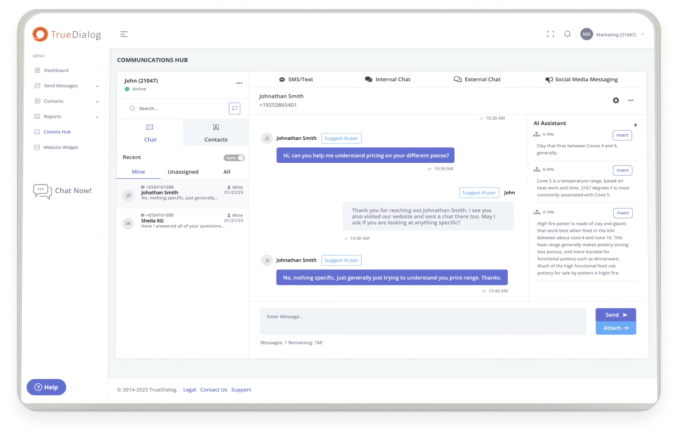

By now, most organizations know text messaging is an exceptional channel for marketing and promotions. But the most effective texting programs do much, much more.
Brands that consistently drive the best results and highest returns from SMS also use it to send timely event reminders, fraud alerts, shipping updates, survey requests, onboarding support, and other vital notifications. They use texting to respond immediately after customers engage, even at scale.
And they’re able to do all of this thanks to automated SMS workflows.
With the right enterprise texting platform and SMS automation, your brand can send thousands (or even millions) of personalized messages based on pre-defined triggers without adding headcount or violating compliance regulations.
Today, we’re covering what you need to know to succeed with SMS automation workflows.
Why Enterprise Automation is a Different Problem
Before we dive into examples of successful automated SMS workflows, let’s talk about how enterprise automation differs from a marketing blast (and why that matters).
A marketing blast is a promotional one-to-many campaign in which you send a single message to an entire list. If you make a mistake (like a typo or sending the text on the wrong date), it could impact conversions and drive a few contacts to unsubscribe. But most negative outcomes are only temporary and usually taper off a few hours after you press “send.”
Enterprise text automation, on the other hand, involves sending messages based on “trigger events,” such as a person subscribing to your texts, placing an order, scheduling an appointment, or making a payment. It typically works by integrating your SMS solution with your enterprise CRM, marketing automation tools, or other operational apps (like your ecommerce software or appointment scheduler).
SMS automation is powerful, but a mistake here can have far more severe consequences than in a marketing blast. For example, if a healthcare organization sends an appointment reminder with the wrong time, the patient could miss their time slot. Or if a university’s texting solution fails to deliver an enrollment deadline notification, a student may lose their spot. And because automations usually run on recurring triggers, the mistake could happen over and over, causing all sorts of headaches.
The bottom line: An SMS automation platform failure could significantly damage your organization’s reputation and erode trust far more than a poorly worded or ill-timed marketing blast. That’s why you need a provider with the expertise and infrastructure to support enterprise-level scale, integrations, security, and compliance.
Five Enterprise SMS Automation Workflows
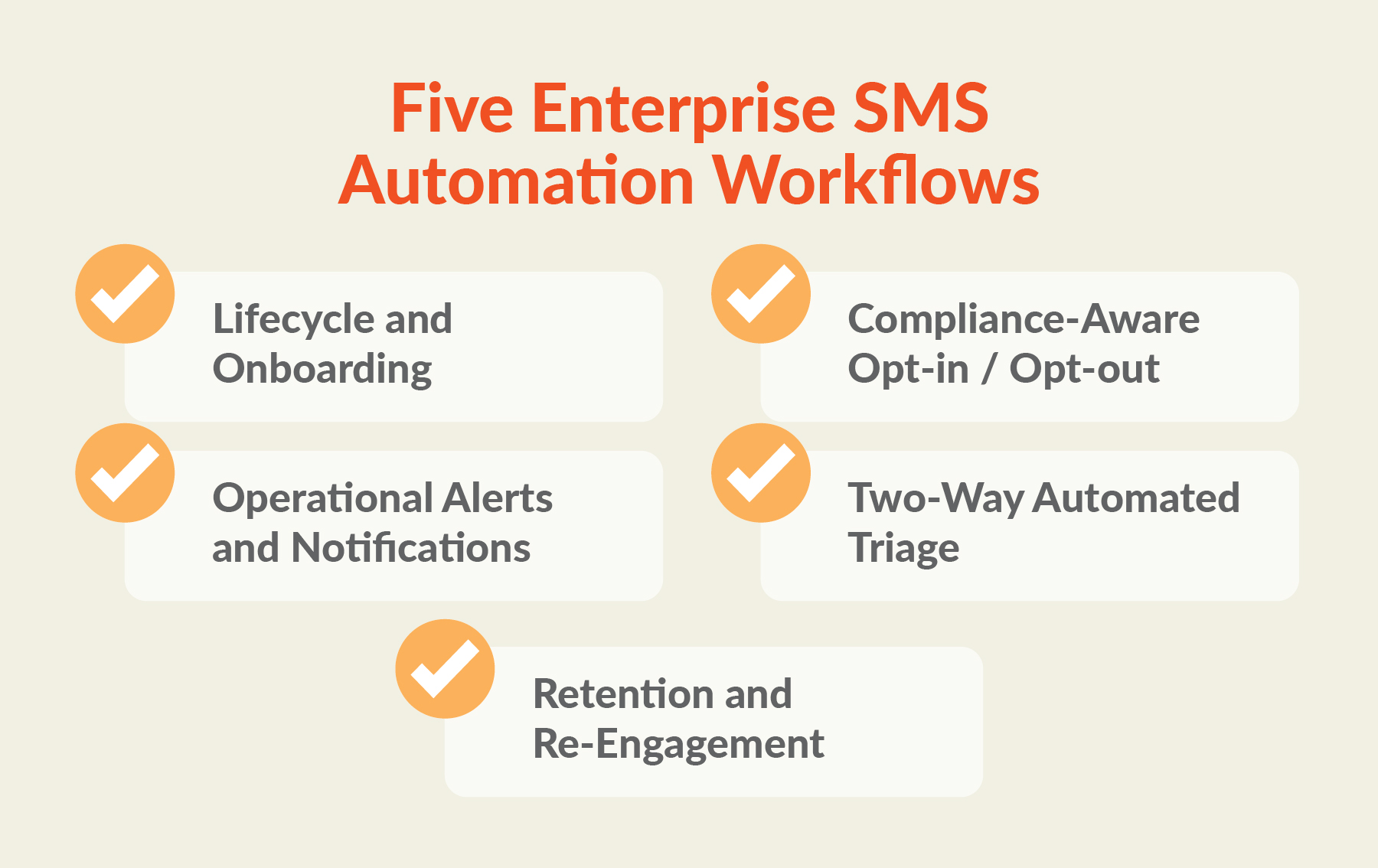
What do successful automated SMS workflows look like in action?
Here are a few examples to better illustrate how automation works and what it can help you achieve.
Lifecycle and Onboarding Sequences
These workflows guide your contact through a pre-defined journey after their status changes in another system of record (like a CRM or student information system). Each step moves them closer to an important milestone and helps make sure they don’t veer off course or fall through the cracks.
Example:
A B2B software company uses SMS to guide new clients through its onboarding process. Once a customer completes their contract and moves from “prospect” to “closed won” in the organization’s CRM, the system sends a welcome text from the customer service manager, an invitation to schedule a kickoff meeting, and check-ins at key points (such as two weeks and 30 days).
Compliance-Aware Opt-in / Opt-out Handling
This workflow captures and records contacts’ consent, so you always have a well-documented, audit-ready trail proving each person in your texting database has explicitly given your organization permission to send them SMS messages. It can also help you track and log opt-outs so you don’t accidentally message people who have unsubscribed.
Example:
A bank launches a text-to-join campaign to grow its list and uses branch signage and online forms that ask customers to text “JOIN” to enroll in SMS messaging. When the bank receives one of these texts, the business SMS automation workflow logs the contact’s opt-in in the system with a timestamp, creating a clear record of consent. And when someone opts out by texting “STOP,” the system records it and automatically stops future sends.
TrueDialog takes this a step further with AI-powered TrueOptOut®, which recognizes opt-out requests that standard keyword matching might miss. For example, while keyword matching will pick up industry-standard opt-out language like “stop” or “cancel,” TrueOptOut will flag messages like “take me off your list” or “don’t message me again.”
Operational Alerts and Notifications
These workflows send time-sensitive, informational messages, which are usually triggered by billing, scheduling, or order fulfillment events, or changes to a service ticket status. This category includes appointment reminders, delivery updates, emergency alerts, payment confirmations, and other messages that require immediate attention or action.
Example:
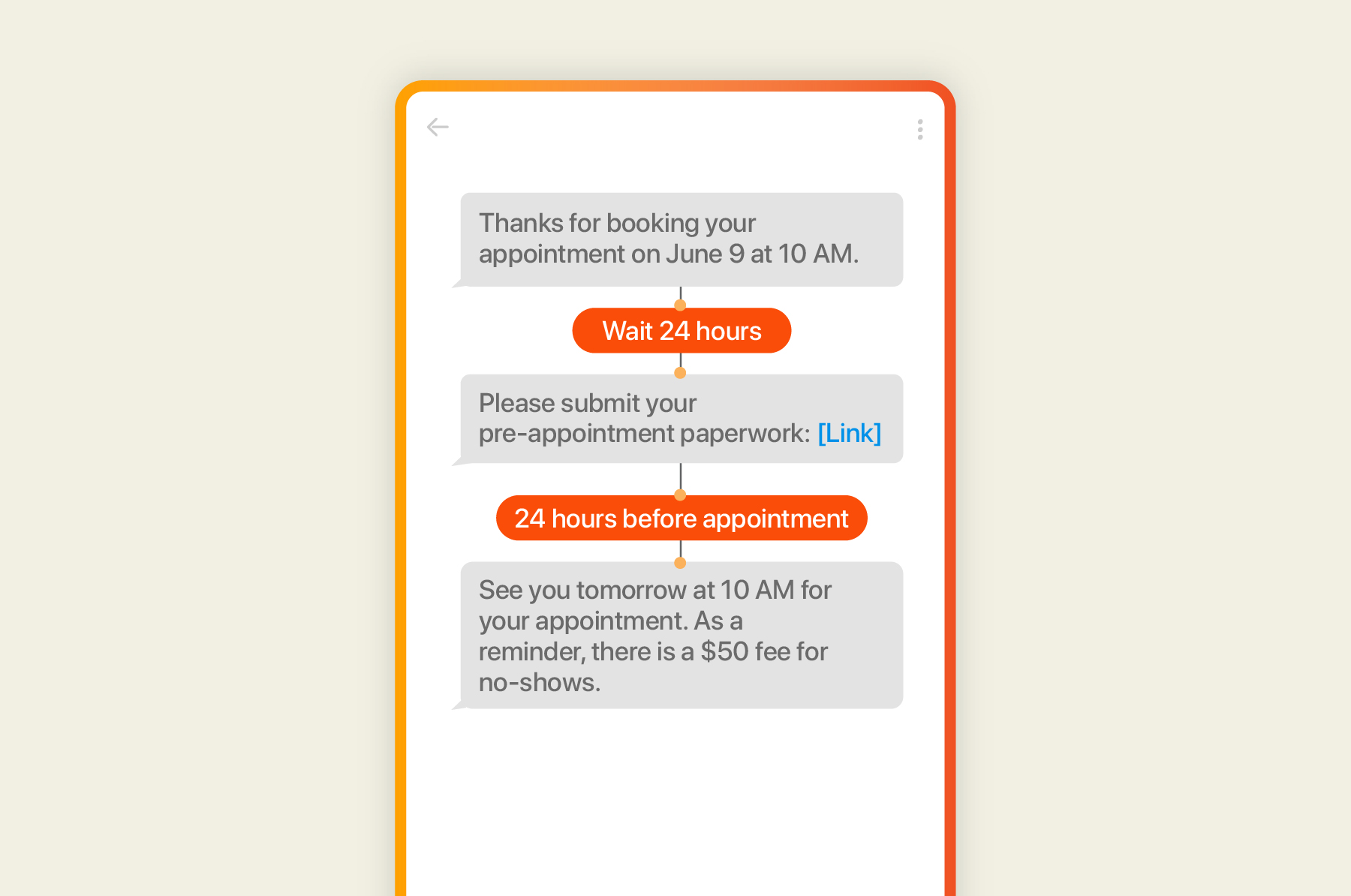
A large clinic uses text confirmations and reminders to help reduce patient no-shows and keep its schedule running smoothly. When someone books an appointment, the system enters them into a flow that begins with a message asking patients to reply “C” to confirm or “R” to reschedule. Later, it nudges patients to complete pre-appointment paperwork and then sends a reminder 24 hours before their appointment that reiterates its no-show policy.
Two-Way Automated Triage
This workflow uses rules to read incoming messages and route them to the right team or queue, usually by identifying specific keywords, survey answers, or CRM record changes. This way, a customer’s question or concern reaches the best person to address it (instead of landing in a huge, shared inbox where it could be easily missed or routed to the wrong team).
Example:
A university uses text messaging to communicate with current and prospective students and, when a student has a specific question or concern, the system automatically routes their message to the appropriate team or staff member. For instance, if a student asks about scholarship disbursement, the system forwards their request to the financial aid office so they can respond with the most accurate, up-to-date information.
Retention and Re-Engagement Sequences
With this type of workflow, automated messages trigger based on long periods of inactivity, missed milestones, or changes in lifecycle stage. The goal here is to re-ignite the conversation before a relationship goes cold. (It’s important to note that since these messages can be promotional in nature, you’ll need to follow compliance rules for promotional messaging, such as avoiding sends during mandated quiet hours.)
Example:
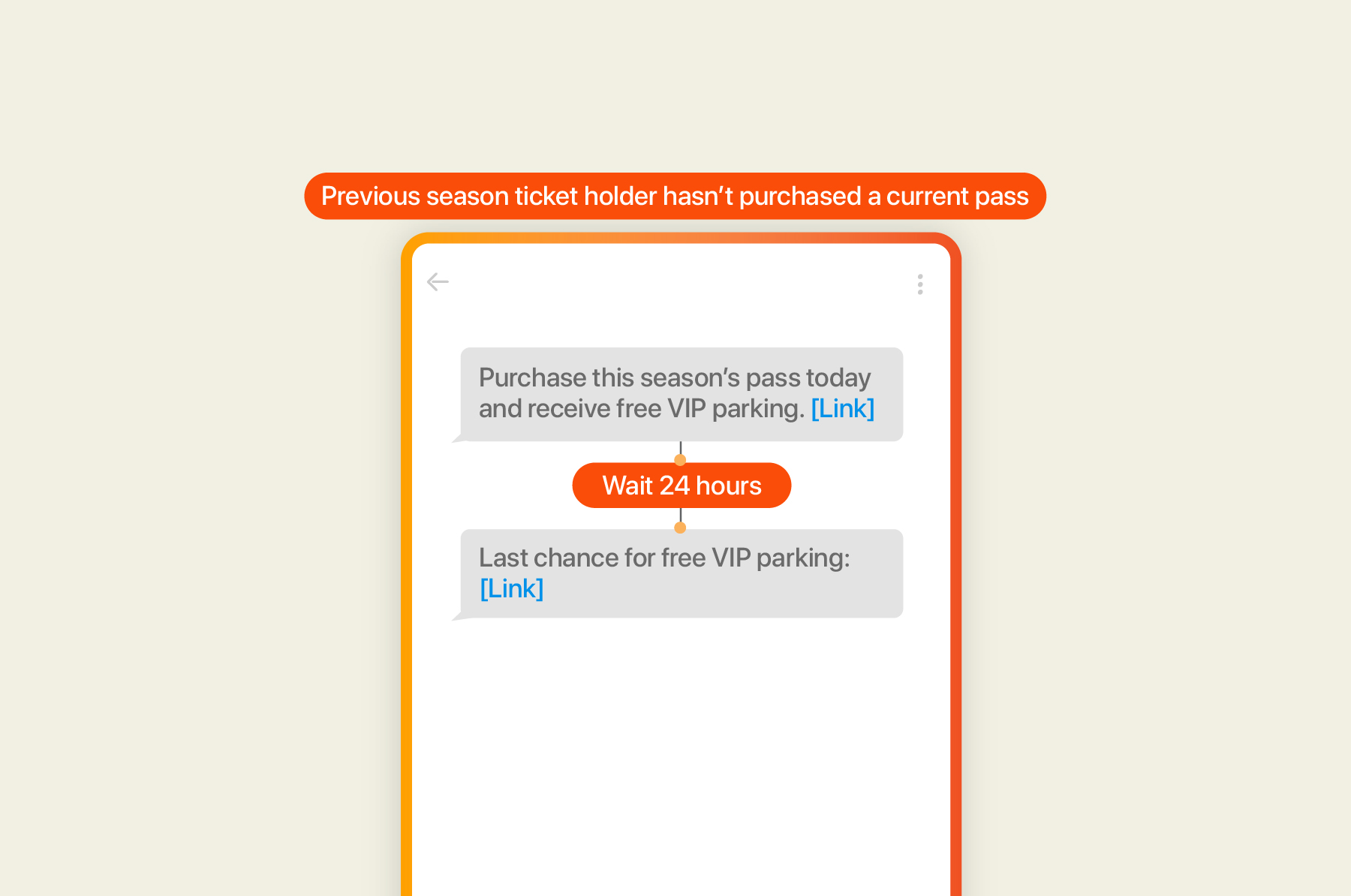
A sports venue uses texting to boost loyalty and retention by keeping fans engaged. When a previous season ticket holder hasn’t purchased a pass for the upcoming season, the retention workflow sends them an offer to help lure them back, such as a limited-time discount, free VIP parking, complimentary upgrades, or an invitation to a special player meet-and-greet.
Curious which send times keep subscribers engaged? We dug into data from more than 1 billion texts to find out. Get the full findings in What We Learned From Sending 1 Billion Texts.
What Makes These Workflows Enterprise-Ready
Although several business texting platforms offer SMS automation features, not all of them can support enterprise-level messaging.
Here are three things to look for to make sure you choose the right solution:
Compliance
Large organizations often face stricter compliance requirements than smaller businesses, especially those in highly regulated industries like healthcare, financial services, and higher education. You’ll want to make sure the solution you invest in includes built-in safeguards and security protocols to meet Cellular Telecommunications and Internet Association (CTIA) and Telephone Consumer Protection Act (TCPA) guidelines, SOC 2 security certification requirements, and any sector-specific frameworks (like HIPAA and FERPA).
Integrations
Some SMS solutions claim to offer hundreds of integrations but require you to buy a third-party app like Zapier to manage them. Instead, look for software that natively integrates with leading CRMs and marketing automation solutions, like Salesforce, HubSpot, Microsoft Dynamics 365, and more.
Additionally, make sure your provider offers a powerful SMS API so you can build workflows with other purpose-built applications, like your scheduling software, order fulfillment tools, and more. This way, you can trigger automated texts based on new appointments, purchases, and other important customer actions.
Finally, check whether the platform connects to the AI tools your team already uses. An MCP (Model Context Protocol) server lets AI assistants like ChatGPT and Claude, along with the AI agents your developers build, send texts and manage contacts through your SMS platform (no custom integration needed). With the TrueDialog MCP, your team can text a list of contacts or update contact records right from an AI chat, using the same TrueDialog account, phone numbers, and opt-out handling they already rely on.
Reporting
As the old business adage goes, you can’t manage what you don’t measure. Make sure your enterprise texting solution provides you with access to the analytics you need (like delivery rates, open rates, click-throughs, and unsubscribes) to make more data-informed decisions. The best platforms make it easy to create custom reports and check campaign status in real time. You should also be able to easily find and pull documented opt-ins and opt-outs for compliance audits.
FAQ
-
What features should an enterprise SMS platform have?
An enterprise SMS platform should have native integrations with CRMs and marketing automation tools, infrastructure to support large-scale deliverability, and built-in security and compliance safeguards (such as role-based permissions, opt-in and opt-out documentation, and 10DLC registration). It should also meet security certifications like SOC 2 Type II and industry-specific standards.
-
Which SMS platforms offer advanced automation and workflow capabilities?
By integrating with leading CRMs and marketing automation platforms like Salesforce, Marketo, HubSpot, Eloqua, and Microsoft Dynamics 365, TrueDialog makes it easy to add SMS to your team’s existing workflows. And TrueConnect® puts all of your inbound and outbound texts on the right record in every connected system you use. (No Zapier chains or engineering projects required.)
-
How is enterprise SMS automation different from marketing automation?
While a marketing automation workflow sends promotional messages to drive conversations, an enterprise SMS automation workflow powers operational messages by connecting with systems of record (like your CRM).
-
Do these workflows require an API integration, or can they run no-code?
With TrueDialog, most workflows can run no-code. Instead, your team can easily build workflows either in TrueDialog or directly in solutions like Salesforce, HubSpot, or Microsoft Dynamics 365 via native integrations. TrueDialog also offers an SMS API that you can use to embed messaging into engineering-led workflows on legacy systems and custom apps.
Ready to see these workflows up close?