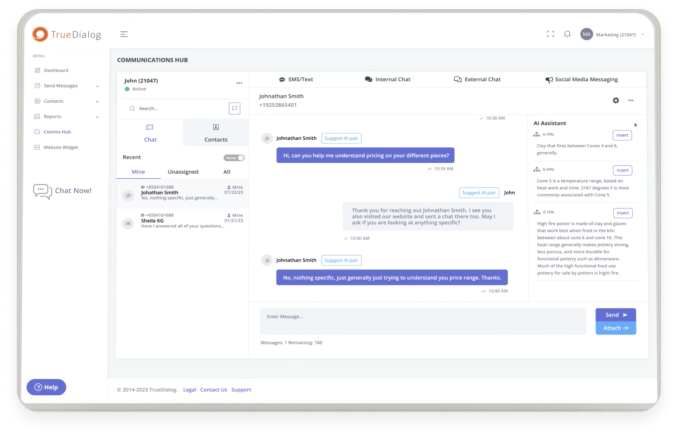


A recent YouGov survey found that 85% of adults in the U.S. use text messaging or messaging apps multiple times a week, making it the leading communication channel. Many businesses got in on the enterprise text messaging game years ago, but the game is changing now as RCS (rich communication services) starts to take center stage.
As support for RCS messaging grows, businesses gain an array of powerful features that can enhance mobile communication with consumers. But to fully take advantage of what RCS can offer, you need to understand what RCS chat features are available and the best ways to start using them.
What is RCS Messaging and Why Do These Features Matter?
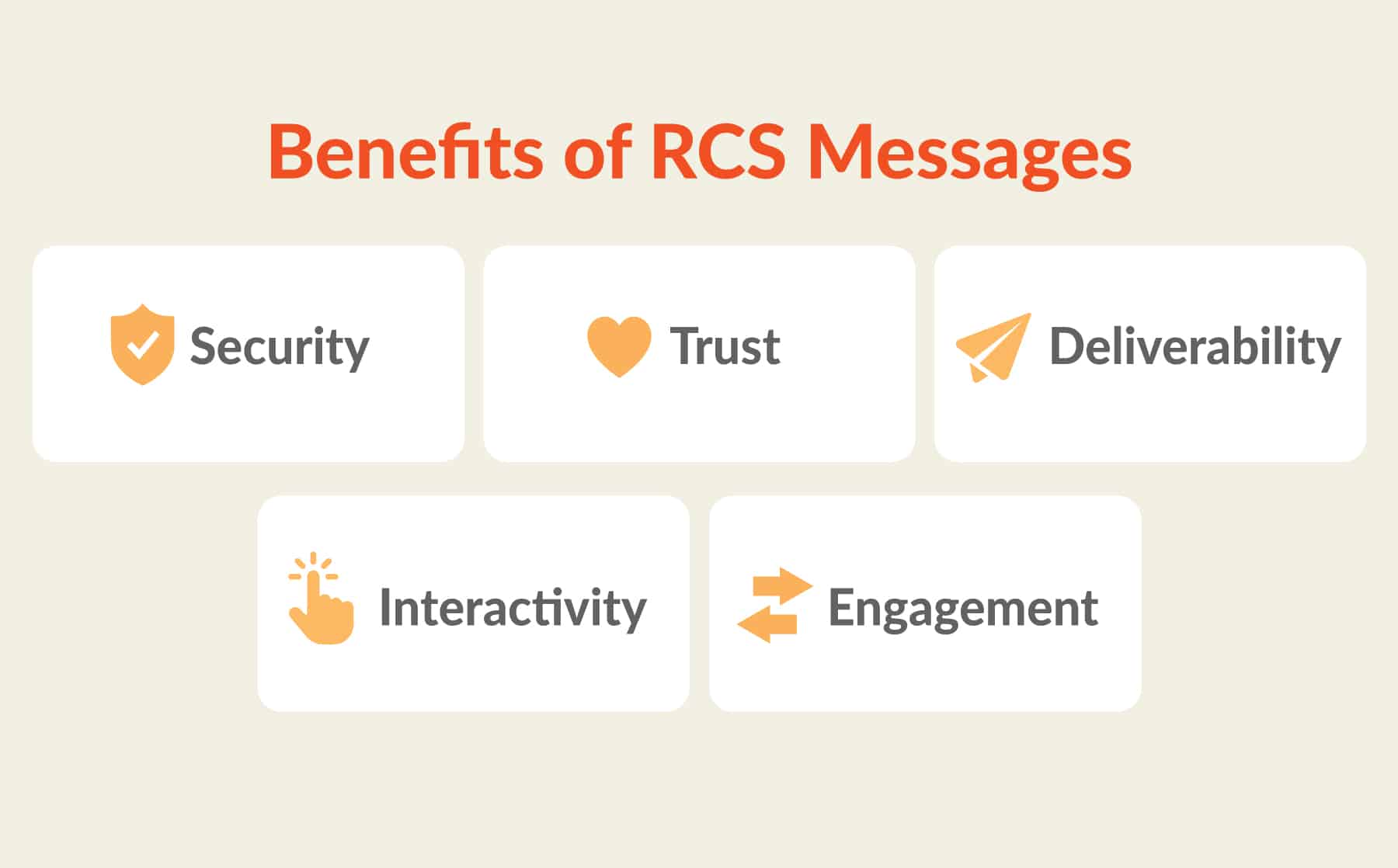
RCS is a messaging protocol that lets you include multimedia elements and interactive features. Comparing the features of RCS vs SMS (short message service) clarifies some of the biggest benefits it offers. Some key areas where RCS messages stand out are:
- Security: RCS messages are encrypted, making them more secure. That’s valuable for all brands, but especially important for businesses in highly regulated industries, like health care and banking.
- Trust: Brands using RCS can register as Verified Senders, which provides a clear signal to consumers that your messages are coming from a legitimate business.
- Deliverability: RCS messages are delivered over the internet, rather than relying on cellular networks. In cases where a user isn’t connected to the internet, you can use SMS fallback to ensure your messages still go through.
- Interactivity: RCS can include features that encourage interactivity, like action buttons, quick replies, and typing indicators.
- Engagement: The rich media features enabled in RCS, like GIFs, videos, and image carousels can make your messages more engaging.
SMS still has its place, but upgrading to RCS presents opportunities to do more and get more out of your mobile communications with consumers.
RCS Chat Features that Improve Business Messaging
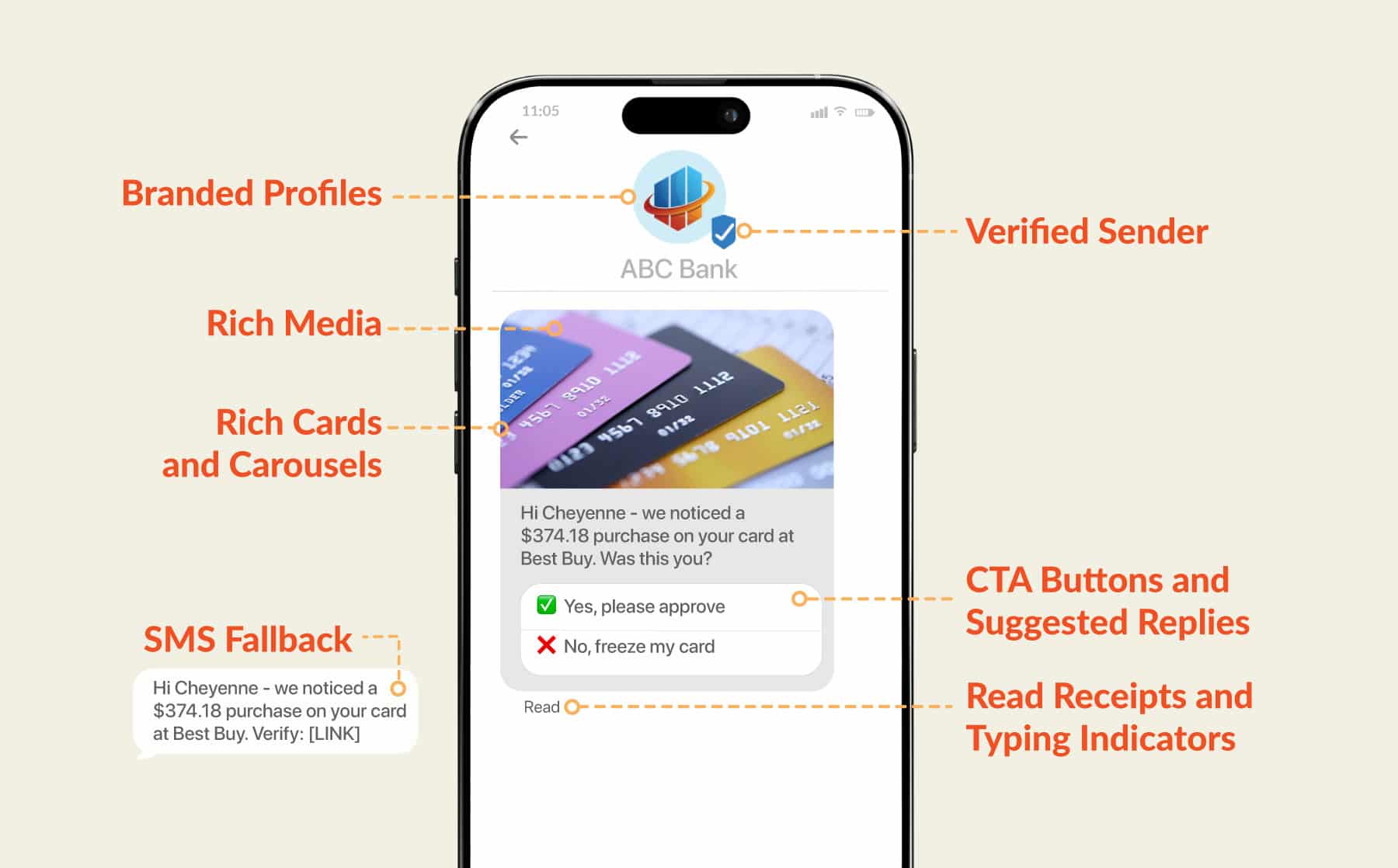
To get the full benefits of RCS, you want to take advantage of all the RCS chat features that set the technology apart. Seven important features to make use of are:
1. Verified Sender
Consumers are often wary of texts that appear to come from brands — and for good reason. In 2023, the FTC reported that text scams impersonating banks were the most common form of text message scam, costing consumers $330 million in one year. Yikes.
Luckily, RCS gives brands a powerful option for countering the kind of distrust scammers have caused: verified sender status.
When you’re getting set up with RCS messaging, one of the first steps you should take is applying to become a verified sender. This involves supplying carriers with business details and legal documents that prove you’re a legitimate business that can be trusted. Once you’re approved, your messages will clearly show up under your brand name, with a blue check mark that confirms you’re who you say you are.
2. Branded Profiles
RCS lets you load your brand logo and specify your brand colors, so that every message that comes from your brand provides a full branded experience. You can also provide a banner, business description, your website, and contact details, so anyone that clicks on your brand name can see all the main information they need to know about your business. That makes it easier for them to confirm that you’re trustworthy, so they’re more likely to engage with you beyond the initial message.
3. Rich Media
Words can be powerful, but add visuals or even audio, and your message becomes that much more engaging. RCS lets you include rich media features like:
- High-resolution images
- High-quality videos
- GIFs
- PDFs
- Audio files
Rich media can help you communicate your message more effectively, and give you a way to include more relevant information to illustrate your point.
4. Rich Cards and Carousels
Rich cards let you combine multiple media types in one message. You can include rich media, title text, description text, and suggested replies and actions (more on that below) all in one rich message to help really get your point across.
You can send standalone rich cards, or use carousels that combine multiple rich cards into one message recipients can swipe through. Carousels can be a good option for anything consumers may want to compare, like viewing the details of different vacation packages or subscription plans. You can illustrate the different options with images or videos, and include suggested responses all there in the same view.
5. CTA Buttons and Suggested Replies
Make it extra easy for consumers to interact with your messages by including CTA (call-to-action) buttons and suggested replies beneath your messages. Rich cards can each contain up to four suggested replies and actions, and you can include up to 11 additional suggested replies.
CTA buttons and suggested replies give you a way to nudge recipients toward the responses you’re hoping for. In a promotional message, they could be actions like “upgrade now” or “add to cart.” For more informational texts, you can suggest useful steps like viewing the location of their upcoming appointment on a map, or the option to “check order details” in a confirmation text.
6. Read Receipts and Typing Indicators
RCS messages provide the option of read receipts, so you have an easy way to know when a recipient has actually looked at your message. You also have the ability to see typing indicators, to let you know when a consumer is about to respond to your message.
These features can be especially useful for customer service messaging, when being able to provide a speedy back-and-forth improves the customer experience. Your customer service team can benefit from knowing how quickly a customer is viewing messages, and typing indicators let a customer know when a staff member is actively working to respond to their concern.
7. SMS Fallback
As nice as the various RCS chat features are, what’s most important of all is that your message is received. The right RCS platform will make it easy to set up SMS fallback, ensuring that even if a consumer’s device doesn’t support RCS yet, or if they’re out of internet range, they’ll get a version of your message via SMS.
This gives you the best of both worlds. You can take advantage of RCS features for all the consumers able to receive them, but still get the deliverability benefits of SMS for those who can’t.
How to Choose The Right RCS Chat Features For Your Use Case
Knowing which RCS features exist is step one — now you need to figure out how best to put them to use in your messaging strategy. The good news is that certain features will work automatically once set up. Once your verified sender profile is approved and you’ve created your branded profile, your messages will all show up with your verified, branded status. And SMS fallback should work by default any time a user can’t receive your RCS message.
For all the other RCS features, think about your goals for each message and which features will best help you achieve them. Here are some examples of ways different RCS features can support a few main use cases:
Promotions and sales
- High-quality images can help you illustrate the products you’re promoting
- Carousels are a good way to present multiple product options, like different packages or plans the customer can compare
- GIFs can add some personality to sales messages, helping humanize them and make them more playful or fun
- CTA buttons make it easier for customers to take the next step and make the purchase
Personalization and loyalty programs
- Suggested replies can help make the sign-up process more intuitive
- Product images can help you promote products based on a customer’s past history
- Personalized videos can be an engaging way to illustrate the user’s relationship with the brand to date
- GIFs can help personalize the brand in messages and keep the tone light and fun
- Rich cards and carousels can promote multiple new and existing products to a customer based on their preferences, all in one message
Order information
- Rich cards can include links to valuable information like tracking data that’s updated in real time
- PDFs can cover details like your return policy or a product user guide
- Video tutorials can cover important info like how to assemble the product or different ways to use it
Appointment or reservation reminders
- Suggested actions can make confirming or rescheduling an appointment or reservation easier on the customer
- Rich cards can include details like a link to a map or the option to add appointment details to their calendar
- PDFs can provide a restaurant’s menu or forms that a recipient should review in advance of their appointment
Event registration and details
- CTA buttons can make it easy for recipients to register for an event
- Suggested actions can simplify confirmation or other actions you want attendees to take in advance of the event
- Rich cards can provide a link to the event’s address on a map, and make it easy to add the event details to their calendar
- Suggested actions can simplify the process of encouraging attendees to take a post-event survey
Customer service
- Suggested actions like “call customer support” or “initiate a return” make it convenient to contact your support team
- Read receipts and typing indicators can communicate to customers that agents are present and reacting to their messages
- Customer support staff can share rich media like tutorial videos and instructional PDFs to help customers get they information they need
Security alerts
- Verified sender profiles are key to sending security alerts customers know they can trust
- Suggested actions can make confirming a purchase or clicking a link for more information convenient for the customer
- For issues like natural disasters, rich cards that link to a map can help point recipients to needed resources
What to Look for in an RCS Messaging Platform
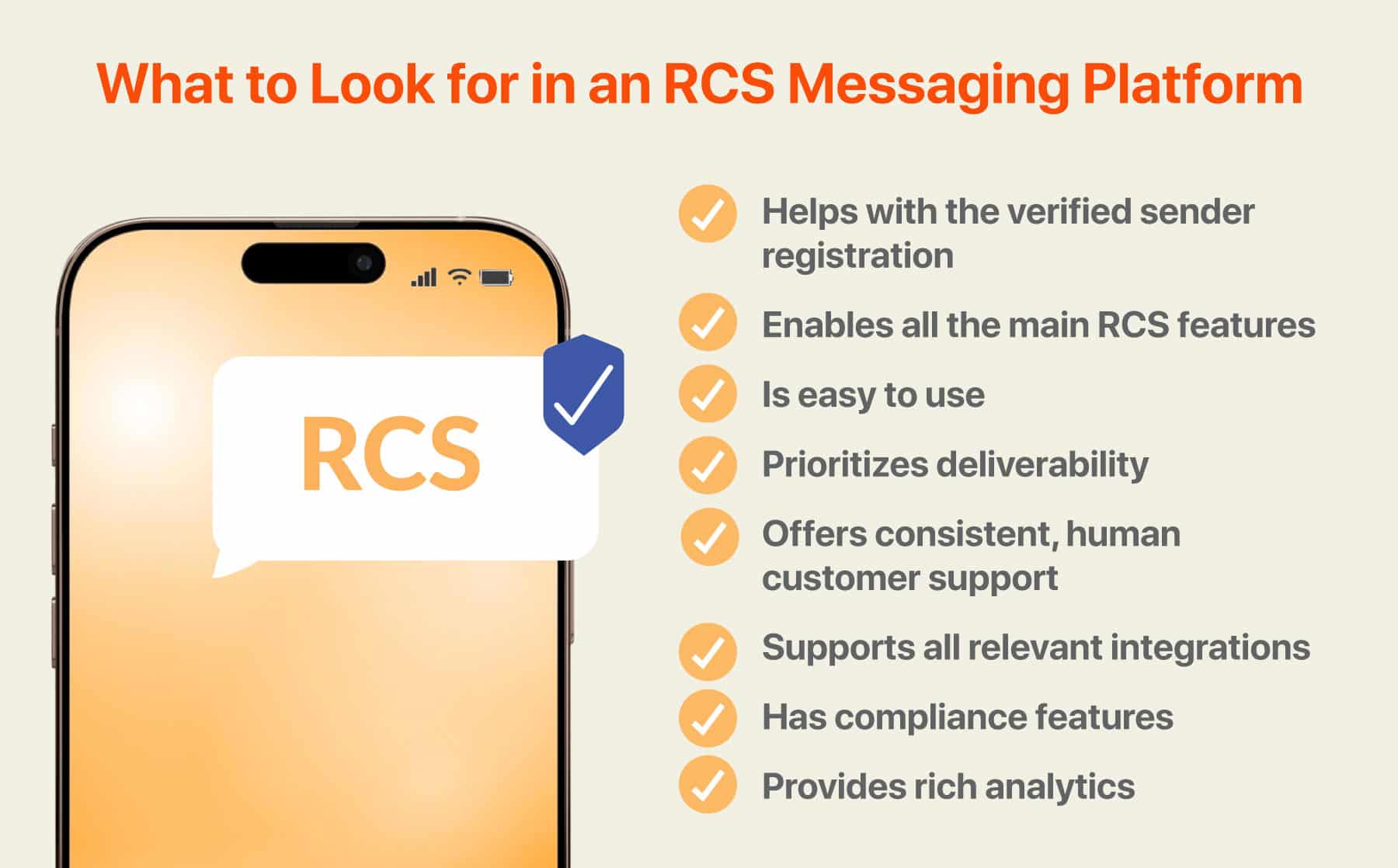
One of the most important decisions you’ll make when getting started with RCS messaging is choosing the right SMS platform that includes RCS features. When evaluating your options, look for an RCS product that:
- Helps with the verified sender registration: A good RCS vendor will guide you through the process to make sure you set everything up right and get verified as quickly as possible.
- Enables all the main RCS features: Confirm that the platform enables every RCS chat feature you hope to use and makes it easy to take advantage of them all.
- Is easy to use: An interface that’s intuitive will mean you can design RCS campaigns faster and without frustrations — even if you don’t spend a lot of time upfront on training.
- Prioritizes deliverability: A feature like TrueDelivery® can help you craft messages that won’t get caught in spam filters, and SMS fallback ensures your messages will be delivered even when a recipient’s device doesn’t support RCS.
- Offers consistent, human customer support: If you’re learning RCS for the first time, you want access to support staff that has the expertise and availability to guide you through the process and help address any unexpected snags you encounter.
- Supports all relevant integrations: To get the full impact of some RCS features, your platform will need to integrate with other tools, like your CRM (customer relationship management platform). Look for a product that supports integration with all the main tools you use.
- Has compliance features: You never want to risk breaking the law with your business text messaging. The right text messaging platform will include features that make it easy for you to stay on the right side of all relevant legislation.
- Provides rich analytics: What happens after your message goes out is just as important as everything leading up to it. An intuitive dashboard for analytics like open rates, read receipts, and button clicks helps you track how well your messages are landing.
TrueDialog is a respected RCS vendor that provides all the features you need to launch effective RCS campaigns. Set up a demo to see the platform in action.
Turning RCS Features into Better Customer Conversations
RCS features can help you improve security and trust. They can include media elements that make your messages more engaging and fun for your audience. And features like suggested responses and CTA buttons make it that much easier for customers to take action. By making strategic use of the RCS features now available, your messaging campaigns can go further and help you solidify customer relationships.
Now that RCS support is becoming widely available across devices and carriers, using RCS messaging to deepen and expand your customer conversations is an obvious choice.
FAQs
What is RCS messaging?
RCS messaging is a text messaging protocol that lets you include rich multimedia features, allows for more interactivity with the recipient, and provides a higher level of security than SMS.
What are the most useful RCS chat features for businesses?
Some of the most important features RCS enables for businesses are verified sender status, branded profiles, rich media elements, rich cards, carousels, CTA buttons, suggested replies, read receipts, and SMS fallback.
How do you send RCS messages?
Businesses can start sending RCS messages by investing in the right text messaging platform that includes RCS features, like TrueDialog, then completing the process to become a verified sender.
How do businesses use RCS to increase engagement?
RCS can increase engagement by using rich multimedia elements like images, videos, and GIFs, as well as providing CTA buttons and suggested replies that make it extremely convenient for consumers to take the next step.
What is the difference between RCS and SMS?
Some of the main differences between RCS and SMS is that RCS allows longer messages, lets you include multimedia features, enables more interactivity with the recipient, and offers a higher level of security.
Why is SMS fallback important in RCS messaging?
SMS fallback helps you ensure all your messages will get delivered, even if a recipient is using a device that doesn’t support RCS yet, or lacks internet access when the message comes through.