If you ran a small storefront in a quaint neighborhood, you could build business by connecting individually with each patron who entered your shop, engaging in a series of one-on-one conversations and slowly fostering a sense of loyalty until they couldn’t imagine going anywhere else.
When you’re a marketer or sales pro at a large organization, however, it’s a little more challenging to cultivate those relationships. Fortunately, with the right enterprise SMS solution, it’s not just possible — it’s easier than ever.
Armed with the right tech, you can reach individual members of your audience with well-timed, carefully crafted, and strategically personalized messages. Whether you have a contact list of hundreds, thousands, or millions of recipients, you have the power to make each of them feel special and valued.
Here’s how to find the right texting app for computer use so you can form those meaningful connections.
Why Use a Computer to Send SMS?
If you’re just getting started exploring SMS marketing, you’re probably wondering why you can’t just text your customers and professional contacts the same way you text your friends and family.
Why invest in a computer texting app when you already have everything you need to communicate directly with your audience?
-
It makes it easier to manage high-volume communications
If you’ve ever forgotten to respond to a friend’s time-sensitive text, you know how challenging it can be to keep up with multiple communications on your phone. At any given time, we’re all juggling several active text threads — not to mention one or two pesky, hyper-engaged group chats. Now imagine multiplying that number of conversations by the size of your audience, and you can see why managing SMS marketing from a single mobile device is a recipe for disaster.
-
It’s better for team use
When you text a contact from your personal device, the conversation stays siloed between you and the recipient. That means you also have to keep close watch on your messages to make sure nothing falls through the cracks — including when you’re out sick or on vacation. If anyone else needs to reach the contact, they’ll need to start their own thread. But if you use a messaging platform for business, customer conversations become more collaborative, and anyone (with permission) can engage.
-
It supports regulatory compliance
When you text customers directly through SMS, iMessage, WhatsApp, or any other personal texting platform, you enter legally murky territory.
According to the Telephone Consumer Protection Act (TCPA) and the rules set forth by the Cellular Telecommunications Industry Association (CTIA), you need to maintain proof of explicit consent to marketing messages to message your audience and observe and manage opt-outs, which is much more challenging to do from a personal device. Plus, you could inadvertently violate data privacy laws that govern how customer information is stored and used.
But a desktop texting app like TrueDialog includes built-in security and compliance features to help you properly store conversations, record opt-ins and opt-outs, and easily meet other industry regulations.
Key Benefits of Computer-Based Texting
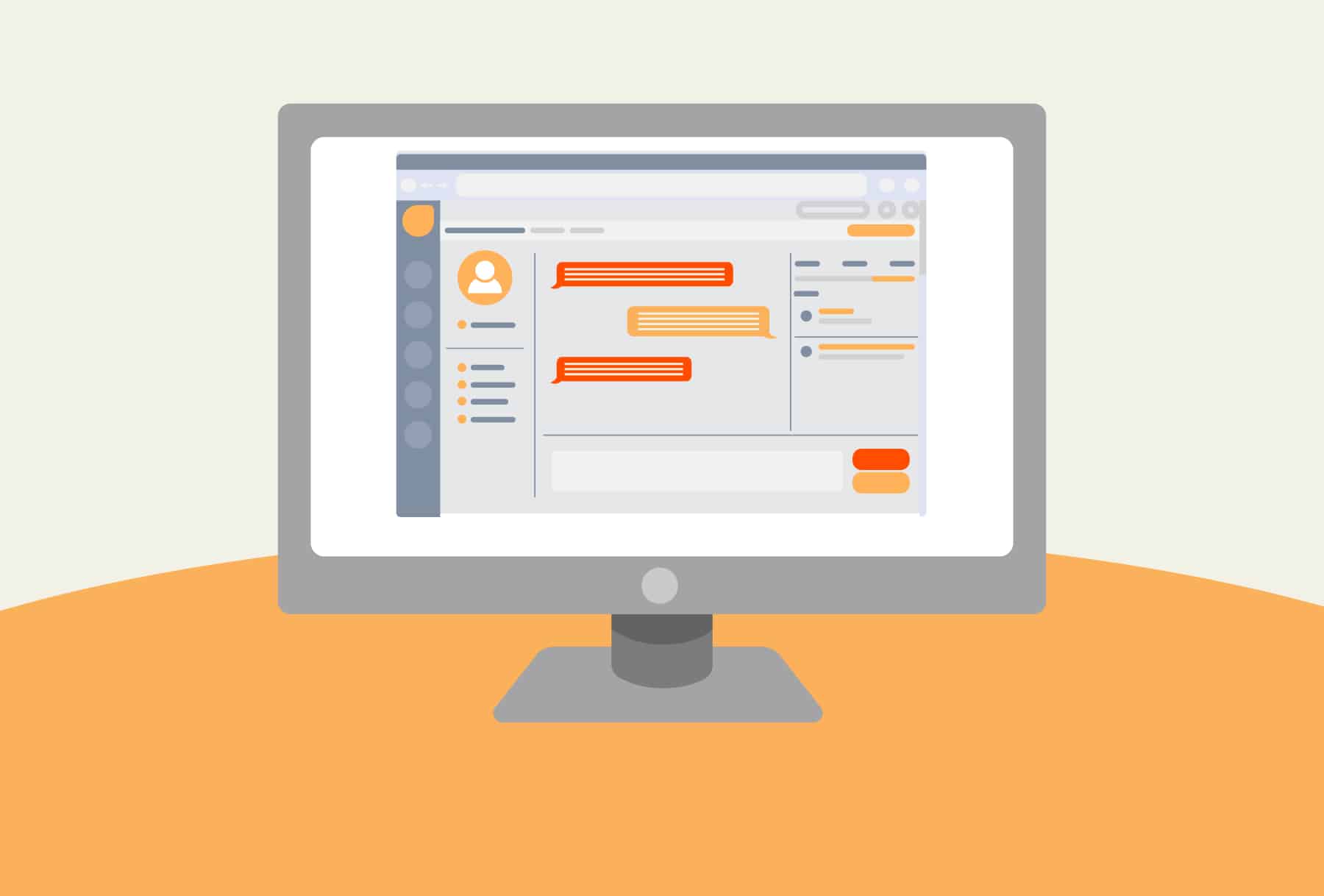
Of course, there are more advantages to using an enterprise SMS platform than just keeping customer messages off your personal device and meeting regulatory requirements. Using a text app for computer messaging also gives you access to features and capabilities that will help you and your team uplevel your marketing communications and strengthen relationships with each member of your audience.
For example:
-
Personalization capabilities
Text messages boast a wildly impressive open rate (about 98%), especially when compared to other leading digital marketing channels like email. But whether or not your contacts do anything with those messages (i.e., respond, click a link, or complete another action) depends on how well the message resonates with each recipient and whether or not you’ve made your audience feel legitimately recognized and valued — which can be hard to do when you’re attempting to reach thousands or millions of people simultaneously. Unless, of course, you have tech that enables personalization at scale.
For example, TrueDialog includes dynamic fields that allow you to personalize messages using customer-specific details (like recipients’ first names) or tailor messages to each recipient’s stage in the buyer’s journey.
For example, suppose you’re a marketer at a large financial institution and you want to increase the adoption of your bank’s new high-yield savings accounts. So, you send an SMS campaign with messages that are not only personalized with each recipient’s name, but also customized to each segment of your audience. For new or prospective customers, you share a link with information about why it’s smart to open a HYSA. For existing customers without a HYSA, you could share details on how it compares to their standard savings account. And for those who already have an HYSA with you, you could share the benefits of increasing their monthly contributions.
Personalizing messages shows customers that your organization sees them as more than just a number, and helps ensure each campaign makes a meaningful impact. Even though you’re still sending messages in bulk, to your customers, these messages will feel more like authentic one-on-one conversations.
-
Streamlined audience management
Of course, you can’t personalize your messages without first organizing and segmenting your audience, and maintaining more robust customer records — and none of that is possible without SMS contact management. Instead of relying on spreadsheets or scattered phone contacts on your device, contact management gives you the ability to keep all of your audience’s data carefully recorded in one easily accessible, centralized location. You can also slice and dice your audience by relevant criteria (such as geography, deal stage, and key demographics) to ensure every message resonates with its recipient.
Tools like TrueDialog also include features that help you track opt-ins and opt-outs so you can prove you’re adhering to regulations (should your marketing efforts ever fall under regulatory scrutiny) and divide your contacts by subscription types (so you don’t accidentally send a marketing message to a recipient who has only given permission for transactional messages like shipping notifications). The platform also supports dynamic contact lists, so you don’t need to create new lists for each campaign, and offers a carrier lookup feature to verify which numbers are mobile (versus landlines) so your messages reach the right devices.
-
Seamless integration with other platforms
Another challenge people often cite when exploring SMS marketing is how they’ll keep customer records updated. After all, it sounds tedious and exhausting to update your CRM with anything that transpires during each customer chat, especially if you’re managing thousands of conversations.
Fortunately, this won’t be a problem — so long as you choose the right solution. For example, TrueDialog natively integrates with major CRMs and marketing automation platforms, like Salesforce, Marketo, HubSpot, Eloqua, Microsoft 365, and more. Or, for more bespoke integrations with other apps, the platform offers a powerful SMS API.
This way, you and your team can focus on building connections and engaging leads while your system automatically tracks each conversation and update. Your team members will never have to guess which campaigns a recipient has received or what they’ve discussed, because all of this data will be readily available.
Plus, with a reliable two-way flow of customer data, you can rest assured that every time you build and send a campaign and leverage personalization tokens, each message will be customized using the most up-to-date information.
-
Access to data and insights
Few people understand the value of metrics like marketing and sales pros. After all, how can you determine whether an effort is successful, pinpoint areas of opportunity, or optimize future campaigns if you don’t measure your performance?
Fortunately, many messaging apps for computer users come equipped with reporting features that give you greater insight into your SMS marketing efforts. This way, you can always make certain your texting campaigns align with larger business goals and continue driving the results you need.
For example, TrueDialog allows you to track delivery rates, click-throughs, and other engagement metrics in real time so you can make more informed decisions and improve future sends. The platform’s executive dashboard gives you a high-level overview of all texting efforts and activity, while campaign status reports get more granular. And with custom reports, you can quickly generate graphs that demonstrate your success to senior decision-makers and track the ROI of your SMS program.
How Texting Apps for Computers Work
When we think of texting, we think of phones because it’s always been an inherently mobile-friendly activity. So, how exactly does it work when you send a text from computer-based platforms?
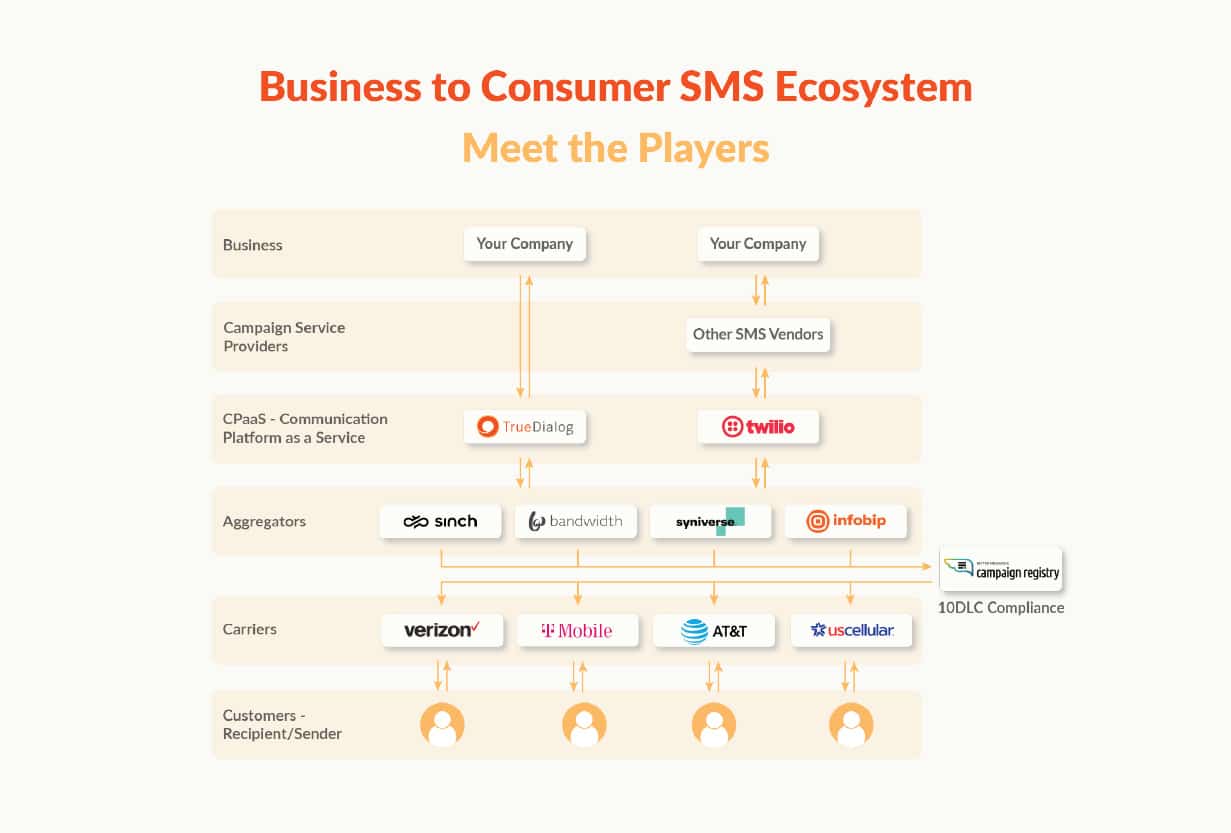
At their core, enterprise texting solutions transform texting into a feature-rich and scalable business communication channel. Instead of connecting phone-to-phone, these platforms connect your messages to carrier networks via a secure, cloud-based system. This way, you can send, receive, and manage your messages right from your computer while also having access to business-grade organizational, compliance, and reporting tools.
Of course, not all platforms function the same way. For example, many vendors build their platforms on third-party Communications Platform as a Service (CPaaS) solutions (like Twilio). This sounds fine in theory, but it can quickly get hairy when you face support issues. Plus, having a middleman can slow down delivery, and many providers pass the cost of their CPaaS solution onto their users — often by marking up carrier pass-through fees.
TrueDialog, on the other hand, is a software vendor solution and CPaaS all-in-one, ensuring speedier and more reliable delivery with no upcharges on carrier pass-through fees.
Web-based vs. Desktop Apps
Most business texting platforms fall into one of two categories: web-based or desktop applications. Both types of software equip you with the power to send and receive large volumes of texts much more effectively than through a phone. However, they differ quite a bit when it comes to IT setup and workflow:
-
Web-based
A web-based app runs in your browser, allowing you to log in from anywhere with a secure internet connection. This type of platform is typically much easier to set up and is ideal for teams that work across multiple locations or need added flexibility. Additionally, with a web-based app, you won’t have to worry about seeking out messaging apps for PC versus Mac. Since the software runs on your browser rather than directly using your operating system, it’s usually accessible on either type of machine.
-
Desktop
A desktop-based app is installed directly onto your computer. While this type of software can provide a more robust native experience with features like desktop notifications and offline access, it usually comes with a more complex setup process. This type of platform is great for teams that use dedicated workspaces, but it may not be feasible for modern teams that work remotely or need to access their solution while on the go.
Integration with Business Systems
Once you’ve chosen the enterprise SMS solution you want to use, you’ll want to integrate it into your tech stack. This way, all of your conversations will be automatically logged under a customer’s CRM profile, and you can avoid sending the same campaign to one recipient back-to-back or inundating a contact with too many communications. Additionally, you can ensure that, when a customer reaches out to your support team, the agent assigned to them will have plenty of context to help them address any questions and resolve issues fast.
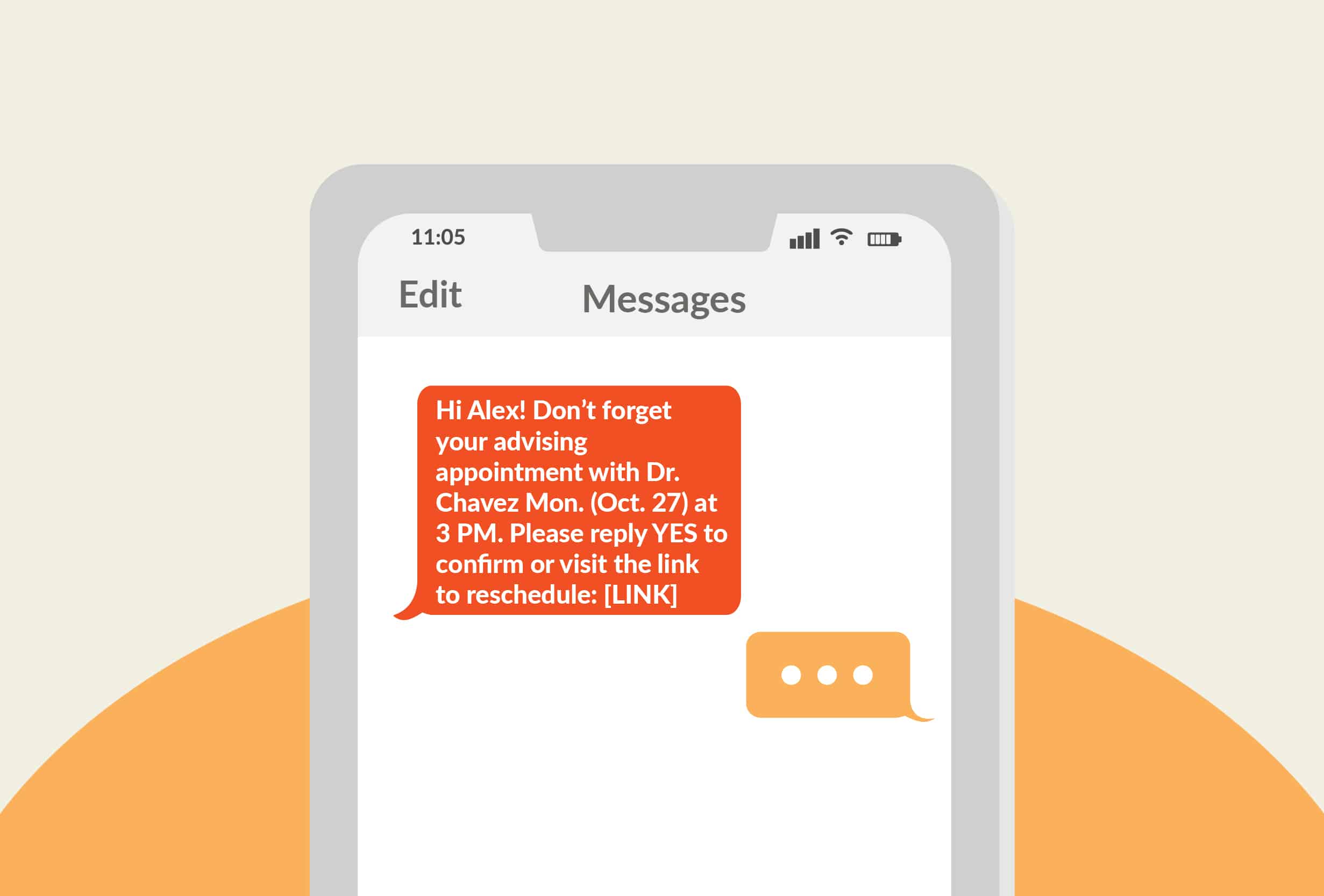
Additionally, you can set up automations — like triggering a text to send based on specific contact behaviors. For example, a B2B software company might have its SMS platform automatically send a confirmation text when a customer signs up for a webinar, then schedule a reminder text so they don’t forget to attend the event.
By plugging your texting solution into your sales, marketing, and support environments, you can create more seamless workflows, reduce manual data entry, help break down data silos between teams and departments, and (most importantly), consistently deliver the best possible customer experiences.
Features to Look for in a Texting App
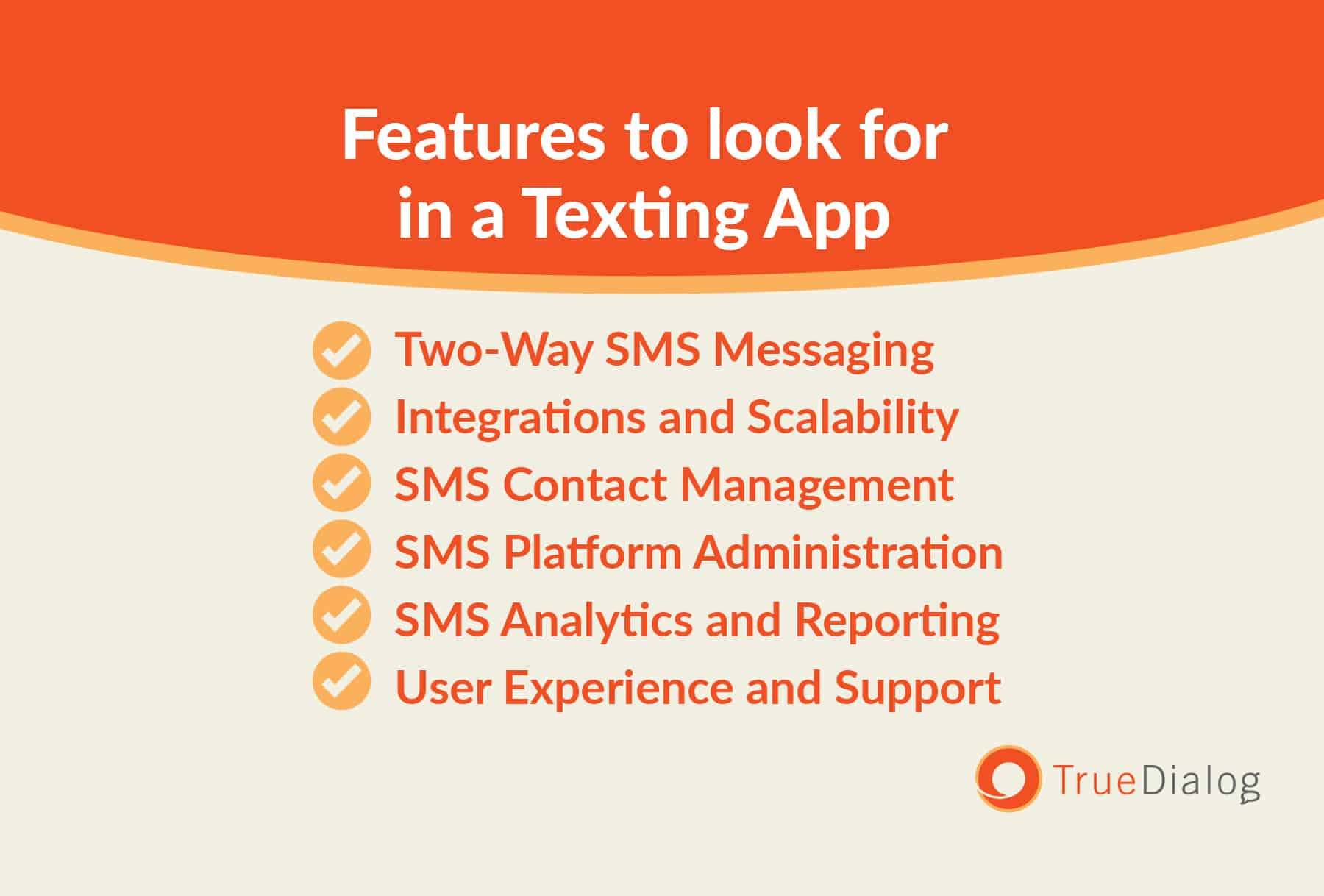
There are countless business texting platforms on the market today, and each offers a unique set of features designed to help you connect directly with your audience. If you’re new to SMS marketing, you may not know what to look for when evaluating these solutions or how to know which platform will be the best fit for your business.
Here are a few must-have features to keep in mind:
Two-Way SMS Messaging
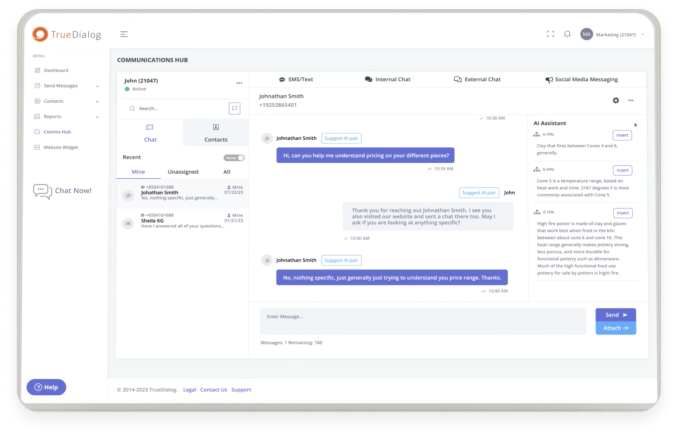
While some platforms only enable one-way blasts, the best solutions are also designed for two-way SMS messaging. This way, you can engage customers directly and see their replies in real time — which is essential when you want to build genuine relationships and deliver personalized support.
Integrations and Scalability
As mentioned above, having the ability to plug your SMS solution into your tech stack is critical to your success, so be sure that the solution you choose integrates with the marketing and sales tool you already use. (And keep in mind that while some providers say they integrate with specific software, they expect you to subscribe to a third-party tool like Zapier to manage those integrations. TrueDialog, on the other hand, offers direct, native integrations with leading CRMs and marketing automation tools — no additional investments required.)
SMS Contact Management
One of the great benefits of using messaging apps for PC or Mac computers is that it consolidates your contact information into one easy-to-access database. In addition, make sure to choose a platform that tracks opt-ins and opt-outs so you can meet industry regulations. And look for features like custom fields and personalization tokens so that you can personalize messages at scale.
SMS Platform Administration
The right texting tool for businesses offers a balance of accessibility and control. After all, not everyone in your organization needs to be able to text your audience — and having the ability to limit permissions helps protect customer data and ensures people can only see the information they need to perform their jobs. On the flip side, robust admin features make it easier for teams to collaborate on solving customer problems and responding to contacts’ replies.
SMS Analytics and Reporting
Beyond basic metrics like how many messages were sent (and to whom), your SMS platform should also give you insight into whether messages were actually delivered, how many contacts engaged, and whether your program is generating a healthy ROI. Thorough reporting is also vital for demonstrating compliance.
User Experience and Support
You could have the most powerful enterprise SMS platform in the world, but if it’s too clunky or confusing to use, it will be difficult to reach your goals. In addition to a user-friendly interface, ensure the solution you choose offers reliable, live support from professionals with expertise in SMS marketing. For example, TrueDialog’s US-based support team is available 24/7.
How to Set Up a Texting App on Your Computer
Now that you know how to choose a texting app for your business and the top features to look for when comparing different providers, the next step is to understand the setup process. Usually, this includes the following steps:
-
Registering your 10DLC number
As a business, texting your audience from a standard personal telephone number could result in being blocked by carriers as spam. Instead, you need to set up a 10-Digit Long Code (10DLC) — which is a special type of number that’s been verified by carriers and approved for business use, and involves a registration process with The Campaign Registry (TCR).
TrueDialog has a team of experts to streamline the registration process, and an automated 10DLC registration that helps you get started in days rather than weeks. TrueDialog also helps its customers with 6-digit short code setup.
-
Adding team members
Next, your organization will need to choose someone to act as the admin, who will be responsible for assigning user roles and permissions, and ensuring everyone has an appropriate amount of access.
-
Configuring settings
Once you and your team are set up, you can begin configuring and customizing the platform to your needs. For example, depending on the solution, you may be able to set up message templates so you can quickly respond to customers. (With TrueDialog’s AI Assistant, you’ll have access to a custom-built library of responses generated by AI specifically for your business.)
-
Set up integrations
Take time to connect your new platform with your CRM and marketing automation tools so you can benefit from more streamlined workflows and closed-loop reporting. If you have more bespoke needs, you may be able to leverage your platform’s SMS API.
-
Importing contacts
Once you’ve set up integrations, you can begin importing lists of contacts who have explicitly consented to receiving messages from your organization. Then, you can segment those lists based on permissions, demographics, and other relevant criteria — or make use of dynamic contact lists.
Why Choose TrueDialog’s Messaging Platform
If you’re looking for a texting app for computer use, there’s no shortage of options. However, few platforms can effectively support highly regulated industries like higher education or financial services, or meet the unique needs of sports and entertainment brands or B2B tech companies. With direct carrier connections, advanced security and compliance support, and a suite of enterprise-grade features, TrueDialog offers the reliability and power organizations like yours need.
Request a demo to see the platform in action.